
Apple Wallet’s New Passes Leave the Older iPhone a Barcode Choice
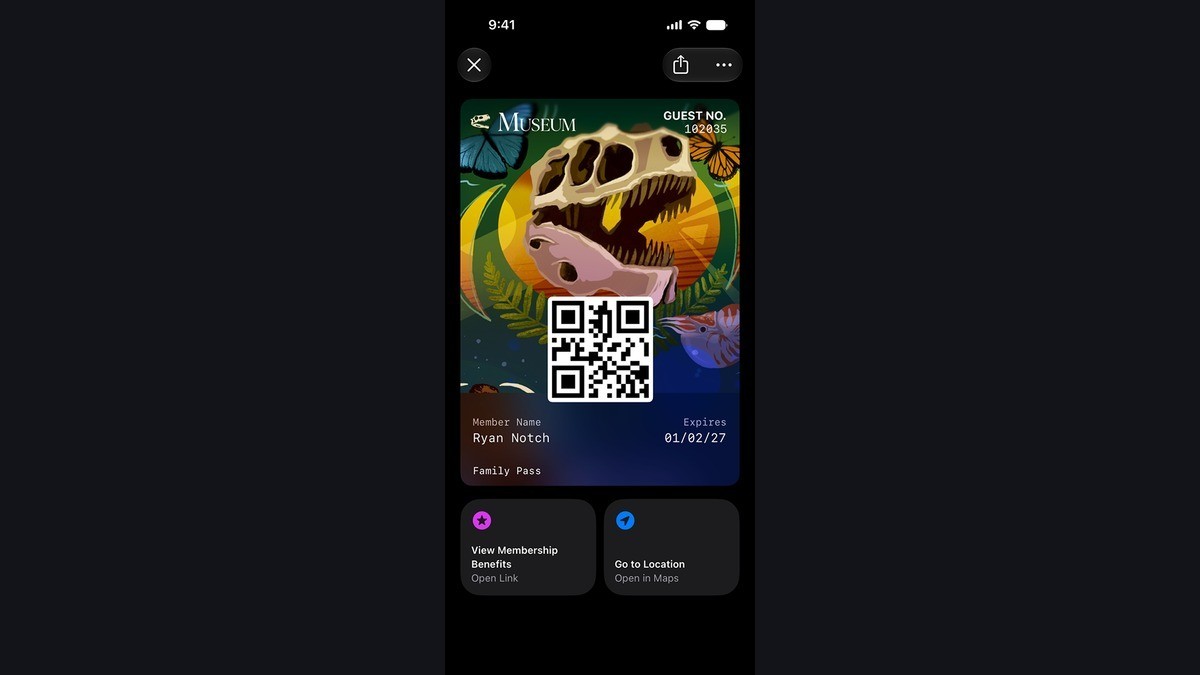
Two people can save the same membership pass and see a different design on their iPhones. Airship’s November 13 update lets businesses that use its Wallet API issue passes with Apple’s Poster Generic layout. The poster design is an iOS 27 feature. An iPhone running an earlier release can still show the pass in the standard Generic layout, and an issuer can supply a barcode that the older system knows how to display.
The issuer has to make the pass
The Apple Wallet developer overview describes Poster Generic as a design for passes such as loyalty, membership, rewards and gift cards. It can fill the front of a pass with artwork. Apple’s sample also shows Featured Actions, tiles that can link out to useful pages. Airship’s November 13 announcement concerns the layout and barcode features supported through its Wallet API. It does not announce that any given shop, museum or other issuer has switched its passes over.
In Airship’s implementation, the issuer adds a background image and at least one footer field to a Generic template. A member who updates to iOS 27 can display the poster version once the issuer provides it. Updating the phone alone does not redesign a pass whose issuer is still using the old template. That distinction also matters for other issuer-controlled features, as we explained in our App Store subscription offer coverage.
A fallback only helps if the scanner reads it
iOS 27 adds support for Codabar, Code 39, EAN-13 and ITF-14 in Airship’s Wallet workflow. Airship gives the example of placing a Codabar code first and a QR code later in the barcode list. The earlier iPhone can use the QR version when it cannot display the primary format.
Some of the work still belongs at the counter. The ability to display a QR code is one thing. The ability of a particular reader to scan that code and look up the member record is another. A venue considering this change should test a pass on an iOS 27 iPhone and an older one, using the reader that customers will actually encounter. That can expose a problem even when both phones show a code.
For a Wallet user, the useful details to report are the issuer, the version of iOS and whether the code appeared at all. If it did, tell the issuer whether the venue’s scanner rejected it. Those two observations point to different checks and give the issuer more to work with than a report that the new design failed.